Home / 3D Software for Reverse Engineering, Inspection and LiDAR in Malaysia

3D Software for Reverse Engineering, Inspection and LiDAR in Malaysia

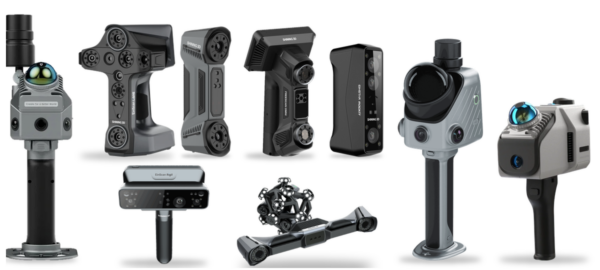
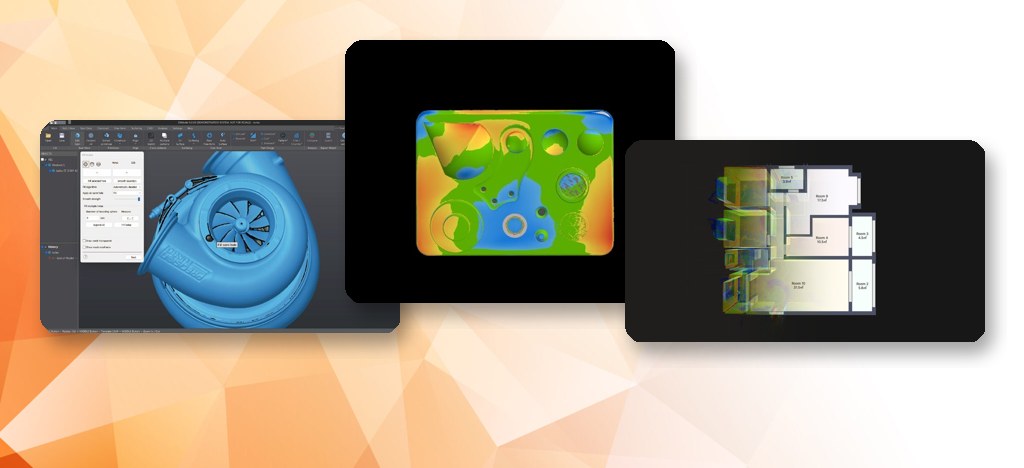
A scanner captures shape; software turns it into a CAD model, an inspection report or a processed point cloud. MAKE3D is the Official Distributor of SHINING 3D and FJD Trion in Malaysia, so we supply the software that goes with each scanner in three groups: EXModel and BlueStar Mapping for design, SHINING3D Inspect and EXMeasure for inspection, and FJD Trion Model and Trion Model Web for LiDAR. Tell us the part or site and the deliverable you need, and we will recommend the scanner and software together.

Our 3D software range

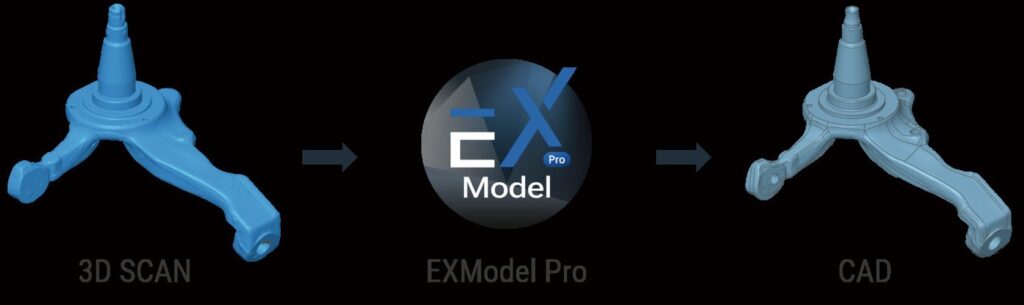
3D scan to EXModel to CAD workflow

Design

EXModel

Reverse engineering: turn 3D scans into editable CAD models.

Learn more →
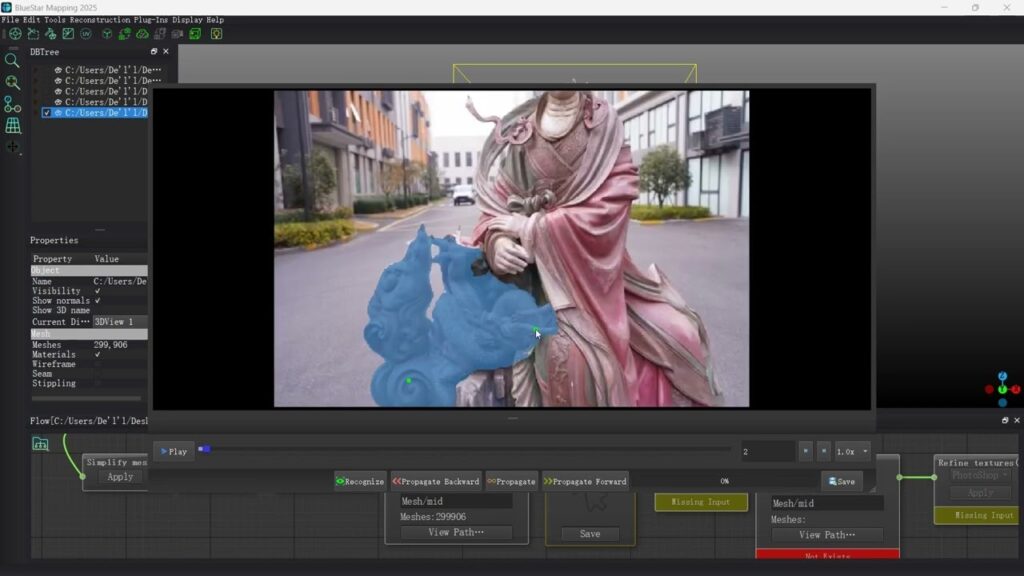
Textured 3D scan model created with BlueStar Mapping

Design

BlueStar Mapping

Add realistic colour texture to 3D scan meshes.

Learn more →
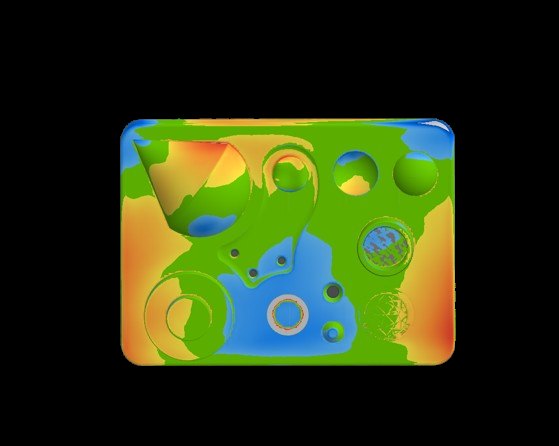
SHINING3D Inspect colour deviation map on a machined part

Inspection

SHINING3D Inspect

Compare scans with CAD: colour maps, GD&T and reports.

Learn more →
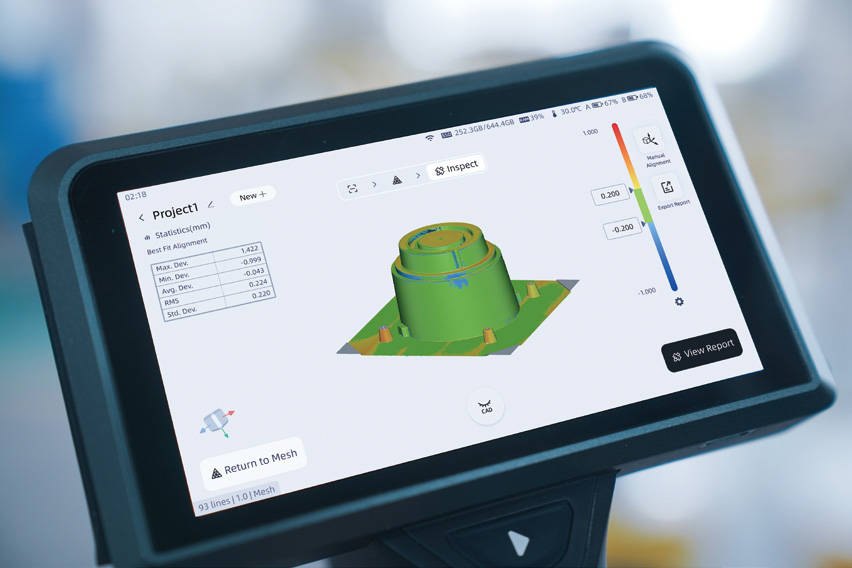
3D measurement results on a scanner touchscreen

Inspection

EXMeasure

Measurement and inspection software for SHINING 3D scan data.

Learn more →
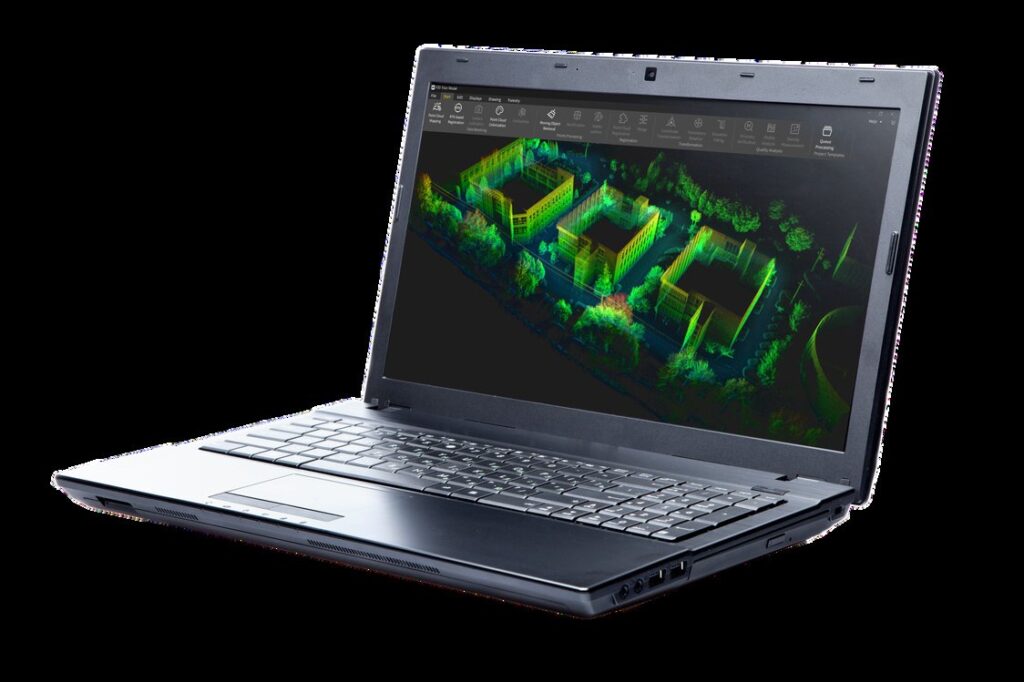
FJD Trion Model point cloud processing software on a laptop

LiDAR

FJD Trion Model

Desktop point cloud processing, drawings and Revit link.

Learn more →
3D interior model processed in FJD Trion Model Web

LiDAR

FJD Trion Model Web

Cloud processing, measurement and sharing in the browser.

Learn more →

Which 3D software do I need?

Choose by the deliverable, not by the brand. If you need an editable CAD model of a part, you need reverse engineering software. If you need to prove a part matches its CAD model, you need inspection software. If you scanned a building, plant or site, you need point cloud software. The table lists the six products we supply and the page for each.

GroupSoftwareUse it toPairs withPage
DesignEXModel (and EXModel Pro)Convert scan meshes into CAD modelsSHINING 3D scanners, such as EinScan Rigil and FreeScan OmniEXModel
DesignBlueStar MappingAdd true-colour texture from photos to scanned modelsSHINING 3D scan data (STL, OBJ)BlueStar Mapping
InspectionSHINING3D InspectCompare scans to CAD, evaluate GD&T, reportFreeScan family, including Omni and Trak NovaSHINING3D Inspect
InspectionEXMeasureAlign, compare and report on existing scan and CAD dataAny workflow where scanning is done in other softwareEXMeasure
LiDARFJD Trion Model (desktop)Process, classify, measure and draw from LiDAR point cloudsFJD Trion P2, S2, P1, T1, V4eFJD Trion Model
LiDARFJD Trion Model WebProcess, view and share point clouds in a browserFJD Trion LiDAR dataTrion Model Web

What is the difference between reverse engineering, inspection and point cloud software?

Reverse engineering software builds CAD geometry from a scan. It cleans the mesh, extracts planes, cylinders and other primitives, and exports STEP or IGES so you can edit the part in your CAD package. Inspection software does the opposite job: it takes a scan and a CAD model, aligns them, and reports deviation and GD&T results. Point cloud software works at site scale: it registers, colours, classifies and measures LiDAR data, and can pass it into Revit.

The data types differ too. Design and inspection software work on meshes from handheld, tracked or fixed scanners. LiDAR software works on very large point clouds. See reverse engineering and 3D inspection if you would rather have the work done for you than buy the software.

How does software pair with our scanners?

Software is chosen with the scanner, because the scanner's own software hands the data across. SHINING 3D scan data moves into EXModel and BlueStar Mapping from the scanning software, and SHINING3D Inspect is integrated into the FreeScan software. The full Inspect licence is documented as included with the FreeScan Omni; on other models it is an option, so we list it as its own line in the quote and confirm what your package contains. FJD Trion LiDAR scanners are processed in Trion Model, on the desktop or on the web.

Browse the SHINING 3D range and the FJD Trion LiDAR range, or see the industrial solutions for the workflow by industry.

Licences, trials and support

SHINING 3D licences for Inspect and EXModel are floating: they can move between PCs at no fee, and we help with the transfer. Trials are offered by the manufacturers (SHINING 3D lists a 30-day EXModel trial with 15 days of Pro features; FJD lists a 30-day Trion Model trial). Terms change, so ask us for the current offer before you plan around a trial. We also provide installation, training, local support and a demo on your own part or data.

Why MAKE3D

  • One supplier for scanner, software, training and servicing in Malaysia.
  • Demo on your own part or site data, so you see the real workflow.
  • Hardware plus services: if you do not want to run the software yourself, we scan, model and inspect for you.

Video

See the software in action

SHINING3D Inspect A streamlined, modular 3D inspection software (video: SHINING 3D)
Introducing FJD Trion Model (video: FJDynamics)

Tell us the part or site, the deliverable and the CAD or BIM package you use. We will recommend the scanner and software together and arrange a demo.

Frequently Asked Questions

Reverse engineering software turns 3D scan data into an editable CAD model. It cleans the mesh, extracts features such as planes and cylinders, builds surfaces and exports STEP or IGES. We supply EXModel for this, and a scanning and modelling service if you have only a few parts.

Scan to CAD software converts a scanned mesh into CAD geometry you can edit, rather than leaving it as a mesh. EXModel does this for SHINING 3D scan data, in a standard edition and a Pro edition with parametric and hybrid modelling. Tell us the part and your CAD package and we will show the workflow.

3D inspection software compares scan data with a CAD model, shows deviation as a colour map, evaluates GD&T and produces a report. We supply SHINING3D Inspect for full inspection workflows and EXMeasure for aligning, comparing and reporting on existing scan and CAD data.

Point cloud software processes the very large datasets from LiDAR scanners: registration, colourisation, classification, measurement and drawing. FJD Trion Model does this on a Windows PC, and Trion Model Web does the processing, viewing and sharing in a browser. Both work with FJD Trion LiDAR data.

We supply the FJD Trion LiDAR scanners and the point clouds. FJD Trion Model connects directly to Revit through its plug-in, and its Drawing module supports scan-to-BIM drawing work. Tell us the building and the Revit deliverable you need and we will advise on the workflow.

Not always, but the software is matched to the scanner. SHINING 3D scanners hand data to EXModel, BlueStar Mapping and Inspect; FJD Trion LiDAR data goes to Trion Model. Tell us your scanner and deliverable and we will list the software you actually need, with licences quoted line by line.

Get A Free Quote

Get Brochure Here